
41 lines
2.9 KiB
Markdown
41 lines
2.9 KiB
Markdown
---
|
|
|
|
slug: /dashboard-db
|
|
---
|
|
|
|
# Database Management
|
|
|
|
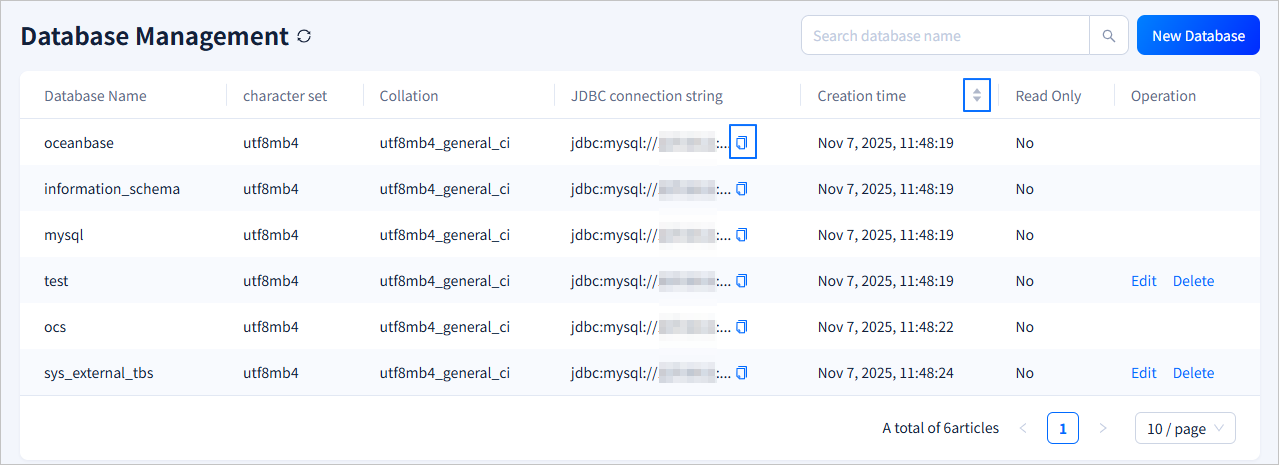
You can log in to the obshell Dashboard console and click **Database Management** in the left-side navigation pane to go to the **Database Management** page. This topic describes the information on the **Database Management** page and operations that you can perform on the page.
|
|
|
|
## Basic information
|
|
|
|
The **Database Management** page displays **Database Name**, **character set**, **Collation**, **JDBC connection string**, **Creation time**, whether the database is **Read Only**, and the actions that can be performed. To copy the JDBC connection string, click the <span style={{ verticalAlign: 'middle' }}><img src="https://obbusiness-private.oss-cn-shanghai.aliyuncs.com/doc/img/observer-enterprise/V4.3.5/700.reference/1500.Components-and-Tools/100.obshell/500.icon/100.ob-dashboard-tenant-01.png" alt="Copy" style={{ height: '20px' }}/></span> icon next to the **JDBC connection string** column.
|
|
|
|
You can click the **Sort by Create Time** icon in the column header to display databases in ascending or descending order. To search for databases on the page, enter the name of the database you want to search for in the search box in the upper-right corner.
|
|
|
|
|
|
|
|
## Create a database
|
|
|
|
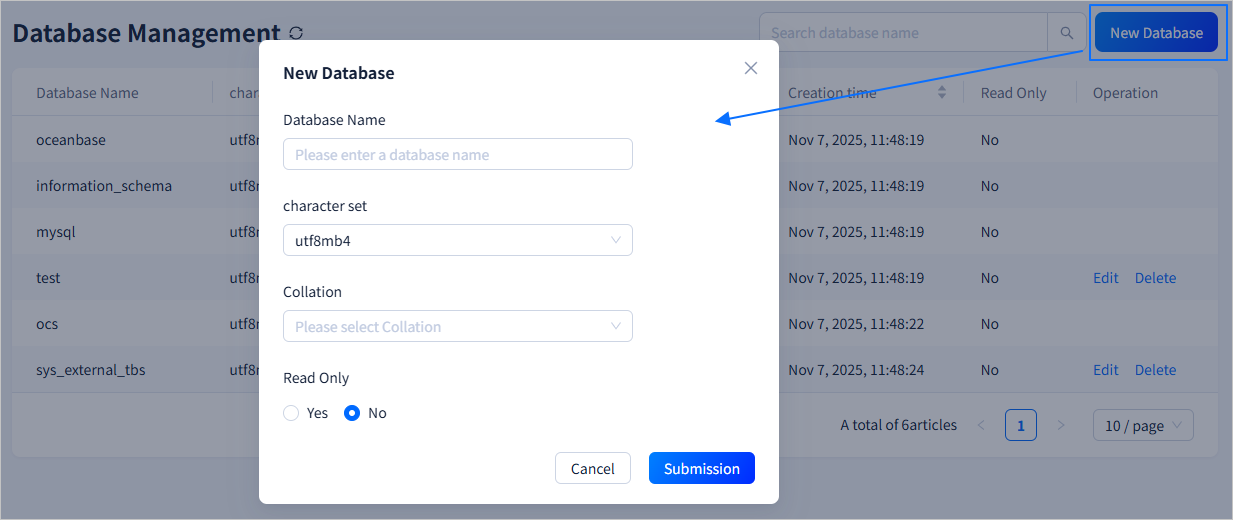
Click **New Database** in the upper-right corner of the **Database Management** page. In the **New Database** dialog box, specify **Database Name**, **character set**, **Collation**, and the read-only option. Click **Submission** to complete the operation.
|
|
|
|
|
|
|
|
| Parameter | Description |
|
|
|-------|------|
|
|
| Database Name | Specify the name of the database to be created. The name must meet the following criteria:<ul><li>The length of the name must be 2 to 128 characters.</li><li>The name can contain lowercase English letters, digits, and underscores. The name must start with a lowercase English letter.</li></ul> |
|
|
| character set | The default value is `utf8mb4`, and you can select a different character set from a drop-down list. |
|
|
| Collation | You can select the desired collation in a drop-down list. |
|
|
| Read Only | Specifies whether the new database is a read-only database. |
|
|
|
|
## Modify the database
|
|
|
|
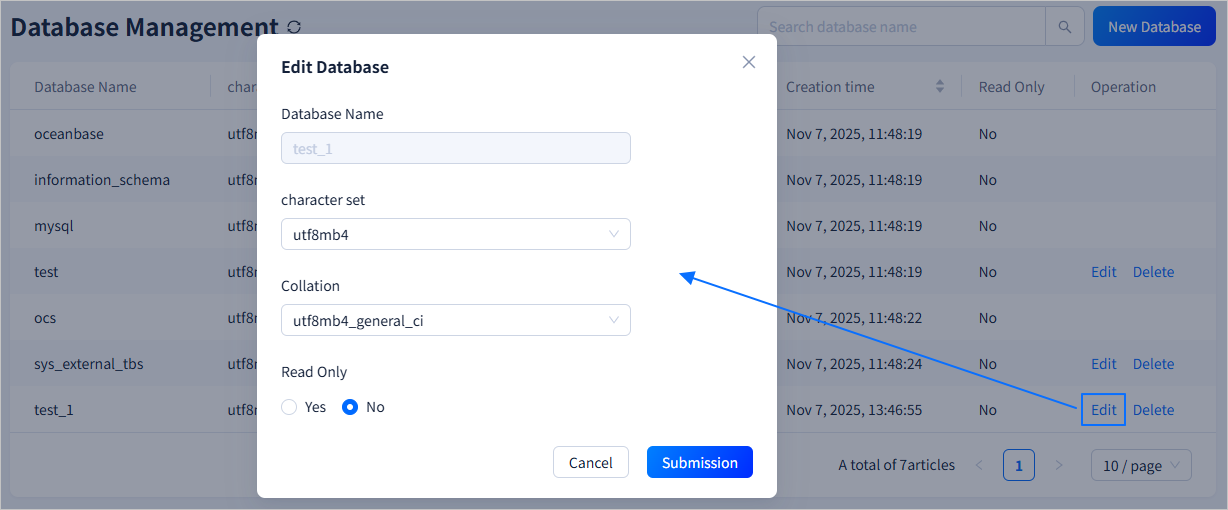
To modify the **Collation**, **character set**, and read-only status of a database, select the database in the **Operation** column and click **Edit**. After making the necessary changes, click **Submission** to complete the database modification.
|
|
|
|
|
|
|
|
## Delete a database
|
|
|
|
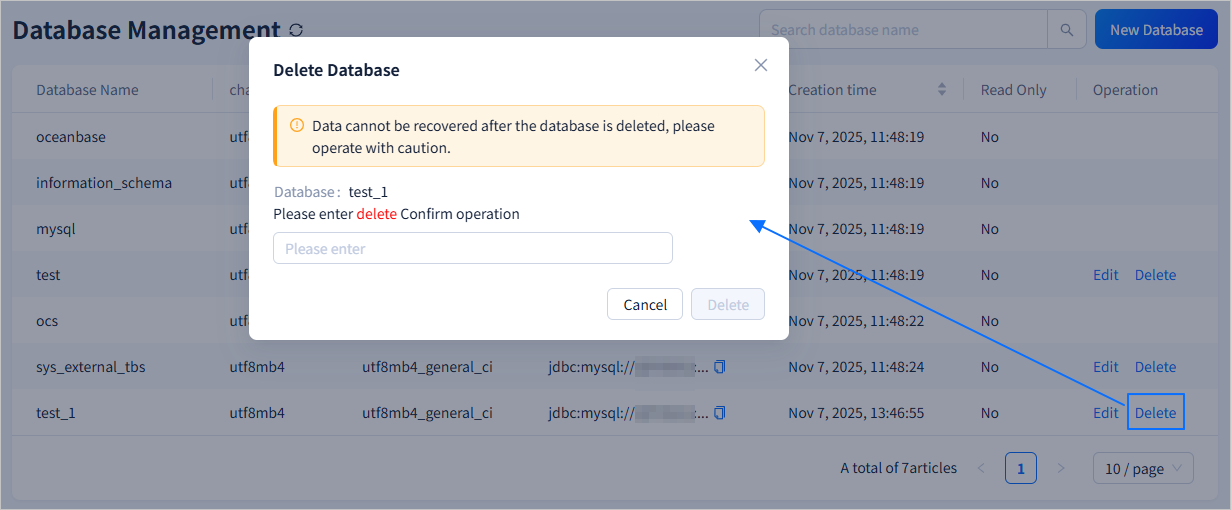
In the **Operation** column, click the **Delete** field and enter `delete` in the field that appears, and then click **Delete**.
|
|
|
|
 |